Video surveillance in Ticino and Italian-speaking Graubünden
We’ll help you choose cameras for your home, business or shop and install them for you. You can view the footage on your phone or a monitor. The first step is a site visit.
The right cameras for your space
A video surveillance system has three parts: cameras, a recorder to store the footage and a way to view it. We install Hikvision cameras and products from other brands.
Hikvision cameras
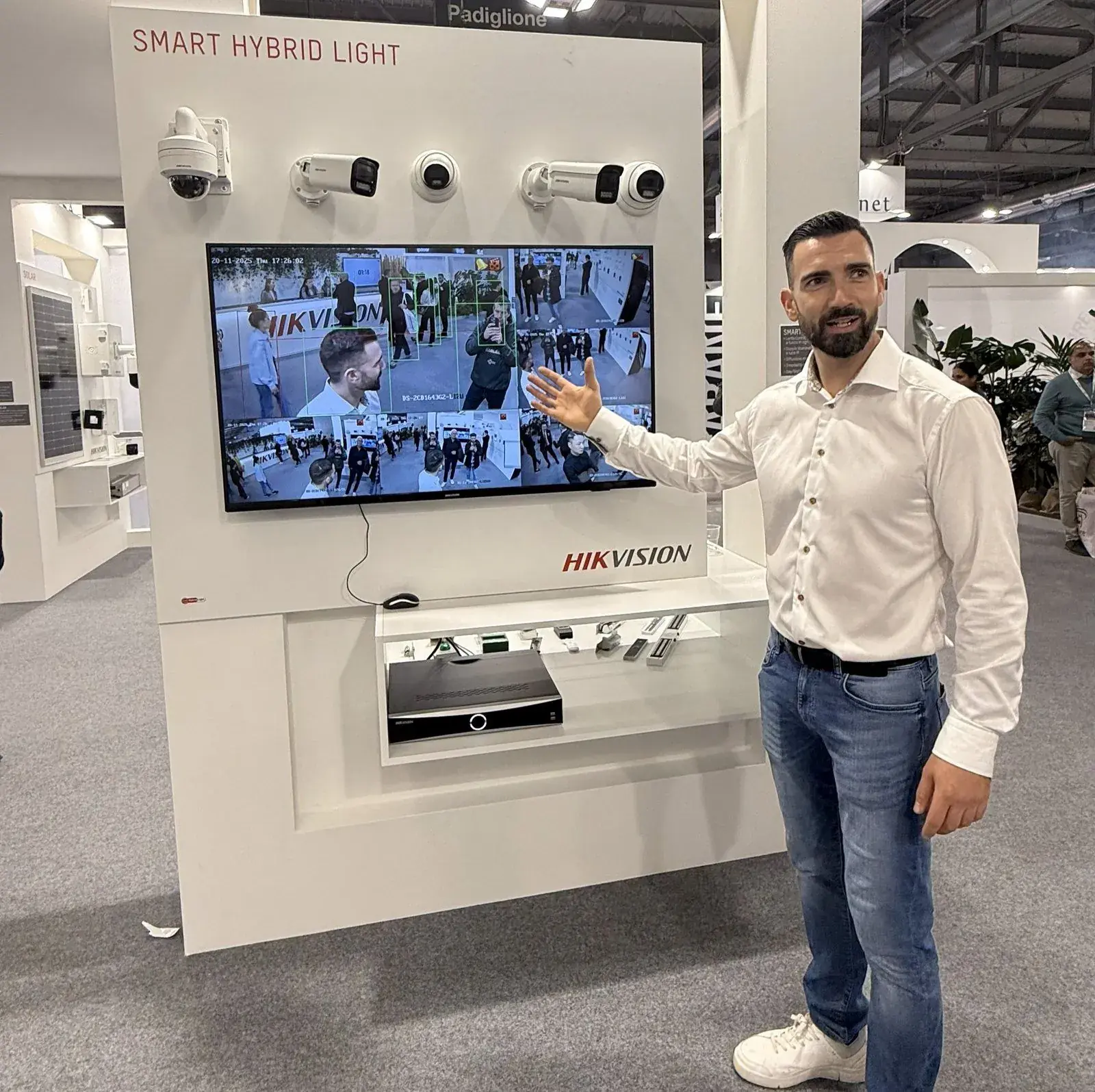
Hikvision cameras do much more than simply record. With the latest technology, they let you monitor your home or business, receive notifications on your smartphone and spot suspicious activity more easily.
If needed, we can also recommend other brands.
Depending on the model, features may include
Artificial intelligence (AI)
Distinguishes people and vehicles from other movement, helping to reduce false alarms.
High-definition images
Sharp, detailed footage, with resolutions of up to 8K.
Colour night vision
Technologies such as ColorVu deliver colour images even in low-light conditions.
Zoom and remote control
Some cameras let you zoom in on details and adjust the camera angle remotely.
Smart detection and alerts
Receive alerts on your phone when events are detected in monitored areas.
Thermal technology
Specific models detect temperature differences, which can be useful for certain security and monitoring applications.
WDR: clear images, even in backlit conditions
Balances very bright areas with shadowed ones, improving detail visibility in challenging situations, such as at sun-exposed entrances or where there are strong contrasts in lighting.
From site visit to support
Free site visit
We’ll carry out a site visit to assess the space and help you find the most suitable cameras for each area to be monitored.
Quote
We’ll prepare a tailored quote and help you choose the solution that best suits your needs.
Installation
We install the cameras and recorder, set up the app on your smartphone or the control monitor, and show you how to use the system. If other tradespeople are working on site, we coordinate directly with them to ensure the installation runs smoothly.
Support
We’re here for you even after installation. Whether you need support, maintenance or help with a problem, you’ll always know who to contact.
Private video surveillance: what the law allows
Before installing a video surveillance system, it’s important to know which areas can be filmed and which legal requirements must be met.
What can you film?
As a general rule, cameras must be positioned to film only your property, avoiding neighbours’ land and public areas such as pavements and roads. Filming must also be limited to what is necessary for its intended purpose, such as protecting people and property. Digital privacy masks can be applied if needed.
What does the FADP require?
The Federal Act on Data Protection (FADP) governs the processing of personal data, including images that make it possible to identify someone. Video surveillance must comply with the principles of lawfulness, proportionality and transparency. It’s therefore important to inform the people concerned appropriately, restrict access to recordings and keep them only for as long as necessary.
This information is based on the recommendations of the Federal Data Protection and Information Commissioner (FDPIC).
When a sign is required
Anyone entering a monitored area must be informed in advance, which is why a clearly visible sign is required. The sign must also state who is responsible for the cameras, the purposes of the surveillance and how the data is processed.
How to view your footage
With the Hik-Connect app, available for iPhone and Android, you can view camera footage directly on your smartphone. If you prefer to use a Windows PC or Mac, you can access the system using the iVMS-4200 software.
You need an internet connection to view footage remotely. If the connection is interrupted, the recorder will continue saving footage locally, provided it has power and is working correctly. To keep the system running during a power cut, you can install an uninterruptible power supply (UPS). This provides power for a limited time, depending on its capacity and the devices connected.
You can also view footage at home on a display connected to the system.
App, display or both? During the site visit, we’ll work with you to find the most practical solution for your needs.
Cameras we’ve installed in Ticino
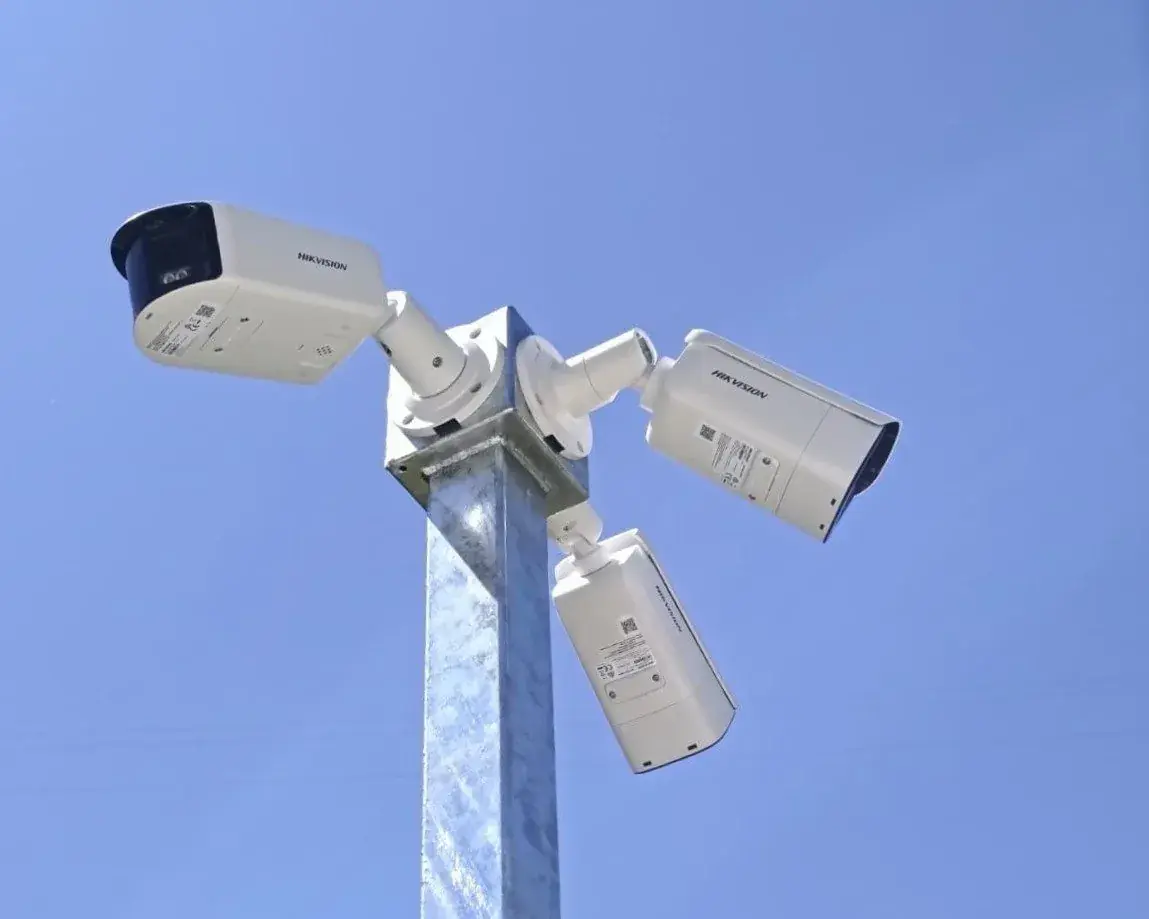
A project in the Lugano area for a client who wanted to see the whole property. A metalworker we work with made the camera pole to measure.
What people say about us on Google
4,822 reviews“The owner came by with a specialist a week later, and I had the quote in my hands.”
“Everything was explained clearly, and the system works perfectly.”
“Excellent quality, professional and helpful. I highly recommend them to anyone looking for security and excellent customer service.”
Frequently asked questions about video surveillance
How much does a video surveillance system cost?
The cost of a video surveillance system depends on the property, the areas to be protected and the level of detail you want. Every installation is different, so we design a solution to suit your needs without recommending cameras or features you don’t need.
We take several factors into account when preparing a quote:
Areas to monitor: entrances, windows, garages, gardens, car parks or business premises.
The number and type of cameras: we choose the most suitable equipment based on distance, lighting, the image quality you want and any smart features you may need.
Image recording: we assess whether you need a recorder, how much storage it should have and how long the recordings need to be kept.
Installation: we consider cable routes, distances, mounting points and any work required.
Remote access: if you want to view footage on your phone or a monitor, we’ll configure the system to suit your needs.
Where do we start? With a free site visit, where we assess the space and your requirements together. You’ll then receive a clear, detailed quote covering the cost of the proposed solution and installation.
Where are cameras not allowed?
Private cameras must not film roads, pavements or other people’s property, except in specific circumstances permitted by law. It is also prohibited to record footage that infringes on people’s privacy, for example by installing hidden cameras or placing cameras in particularly private areas. In shared spaces, such as communal garages and laundry rooms, the privacy of everyone who uses them must be respected. Recording private conversations without permission may also constitute a criminal offence.
What permissions do I need to install cameras?
In general, you do not need specific authorisation from the Federal Data Protection and Information Commissioner (FDPIC) to install cameras on your private property. Planning permission is not normally required either, except where specific regulations apply to the particular case.
You must still comply with data protection and privacy regulations. Before installation, it is therefore advisable to inform and consult anyone who may be regularly recorded, especially in shared spaces.
Who can view the recorded footage?
You can view the recorded footage in the app or on the display. If you want someone else, such as a family member, to see it too, you decide whether to give them access. Securplus can access footage only at your express request and with your permission. According to the FDPIC, the number of people who can view live or recorded footage must be kept to a minimum.
How can I monitor my home remotely?
The cameras record your home, and you can view the footage remotely using the app on your smartphone or computer. That way, you can check in from work or while you’re on holiday. If your home will be empty for months, find out how an alarm with phone alerts works too.
How long is footage kept?
The recorder keeps footage for the period you set, then automatically overwrites it. However, the FDPIC says footage should be kept only for as long as necessary for its intended purpose.
If your question isn’t answered here, message us on WhatsApp or ask us during the site visit.
We’re here for you after installation
In the event of a fault
If a camera or recorder breaks down, we’ll assess the situation and decide together what’s best to do.
Call-outs by arrangement
We’ll arrange the call-out with you, taking the urgency and your needs into account.
For building managers
You have a single point of contact, including for cameras in the communal areas.
One point of contact for your whole home
Garage doors, entrance doors, automation and security: we’re with you at every stage, coordinating with the other tradespeople involved in your project.
Throughout Ticino and Italian-speaking Graubünden
We work in the Lugano area, Mendrisiotto, Bellinzonese, Locarnese, Tre Valli and Mesolcina. We’re happy to travel to the valleys for a site visit, installation or repair.
We’ll visit your property
The site visit is free.
079 602 31 34securplus@ticino.comMessage us on WhatsApp